I might have repeated this a million times, but ever since I was a kid, I had a thing for computers. My dad had a computer since I was a kid, and at the start, I used to listen to songs on it. Then it evolved into playing games, making slide decks for school projects, and so on.
But typing was not my thing. I used to type with both of my index fingers up until a few years ago, and I didn’t realize this was a problem until my friend pointed it out to me in December 2023.
For context, my typing speed used to be between 35 and 40 wpm (words per minute). It wasn’t bad from my point of view, but my friend said that you might be wasting a lot of time by not typing efficiently.
Then I thought, how bad can it be? And hence the journey started.
* Figuring out how to learn touch typing*
I started watching touch typing tutorials on YouTube, and they were flexing how they can now type 200 or 300 wpm. I came across these charts, and to be honest, they still look very intimidating.
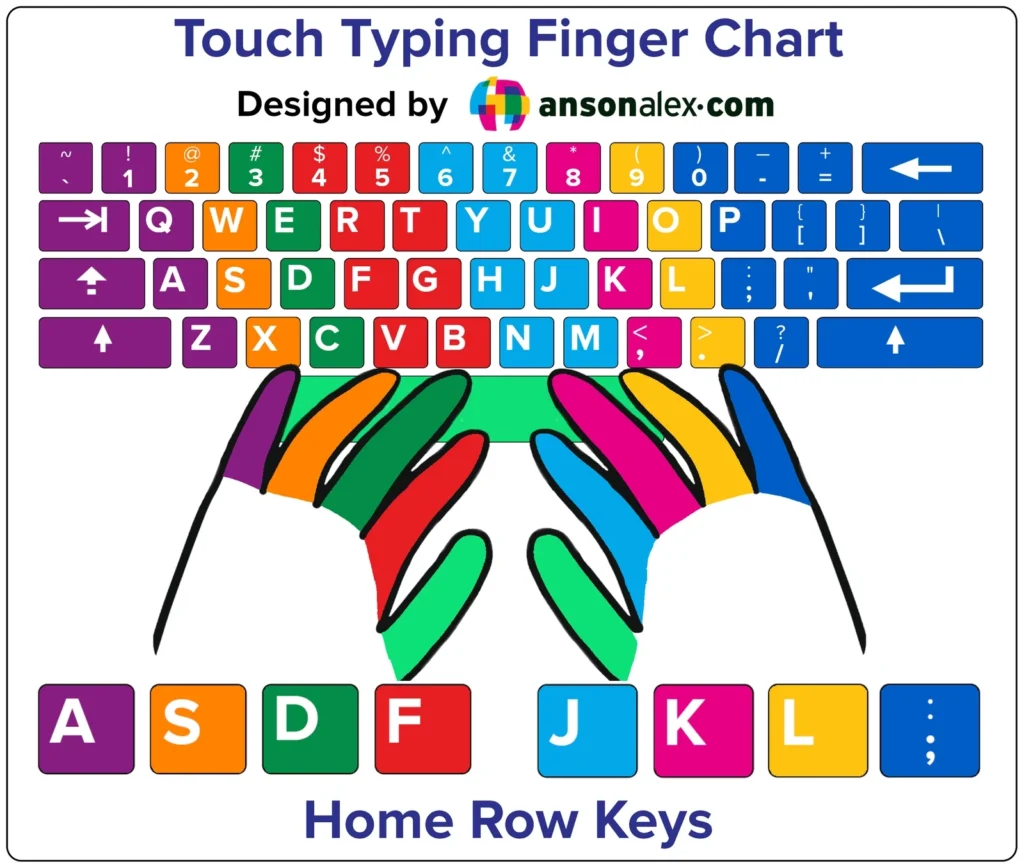
The tutorials were trying to teach me not look at the keyboard while typing. This sounded super hard cause up until this point, I used to look at the keyboard to type words.
Trying to learn how to touch type when I have real work to do was frustrating. I was going to my default ways to type fast, and whenever I was learning about touch typing, I had to type with all my fingers.
They taught me how I should place all my fingers on the home row and start typing letters from each finger. So my left hand pinkie would type A, the ring finger would type S, and so on.
So I started doing all the practices, but I had a problem. Somehow my fingers were not strong enough to type lol.
Like I was trying HARD, but I couldn’t type words with my ring finger. My pinkie finger won’t move, and this became a problem. But I soon learned that this is normal, and that it can be trained.
I was doing like 5-10 minutes of daily practice. But I still couldn’t find a real way to practice. I was typing like this for the first few days:
a a a a a a a a a a a a
aa aa aa aa aa aa aa aa
fj fj fj fj fj fj fj fj fj fj fj fj
dk dk dk dk dk dk dk dk
This wasn’t very helpful because I wasn’t using this knowledge to do my work. Then I came across this site called TypingClub. It has gamified touch typing, and they teach it nicely and slowly, which I liked. I didn’t complete all their levels, but I made good progress there.
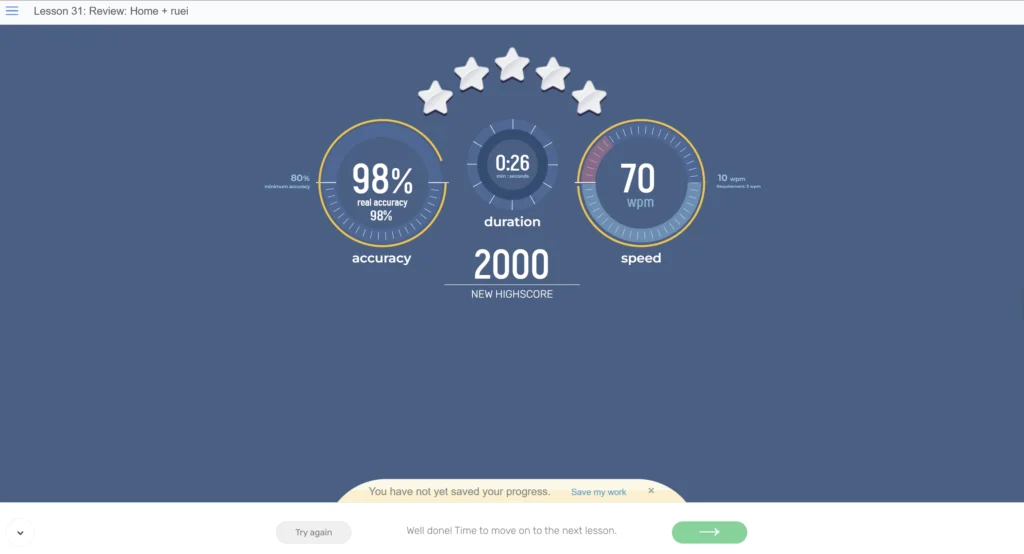
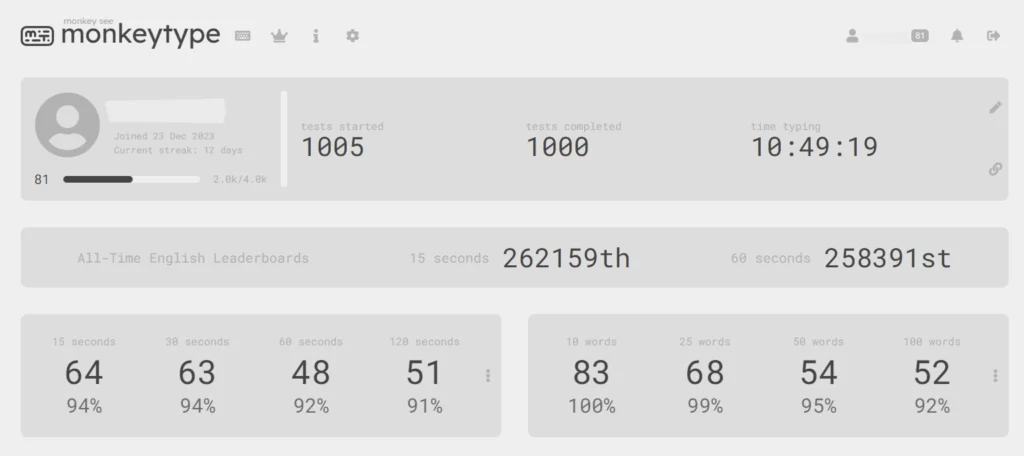
I then wanted to practise in real-world scenarios, and after looking through different apps, I came across Monkeytype. After making an account on it, I started doing my daily practice. I used to have a recurring event in my Google calendar for 30 mins typing every day.
And that means I used to do like 15 – 20 tests every day. I joined the platform in December 2023, and I completed a thousand tests in just six months in May 2024. That’s how dedicated I became to touch typing.
What is the progress so far?
Today, I feel like I can write quite well compared to what I started with in December 2023. I practice less compared to when I started, and I still have a long way to go.
For example, I still can’t write numbers well using the touch typing method, so I have to look at the keyboard, and I still struggle with some letters.
At the time of writing, the number of tests I completed on Monkeytype is 5,224, and you can see what my highest speeds are for different words and timings.
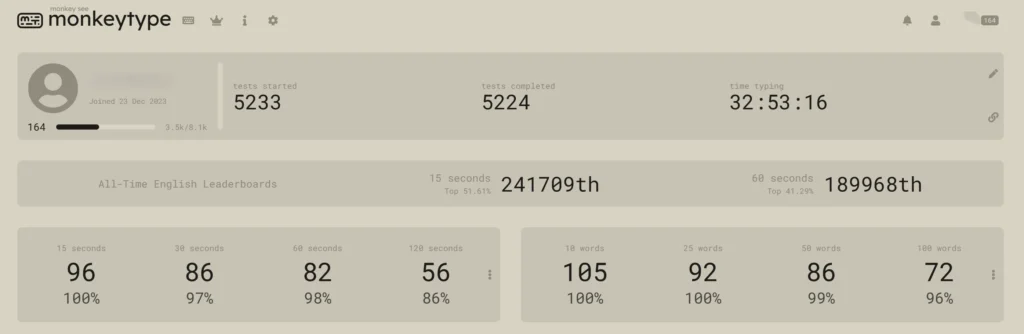
I can type without looking at the keyboard well, especially in meetings where I need to take quick notes. I personally felt how helpful this skill can be.
I am looking forward to typing even better, especially numbers lol.
Here’s to more progress 🥂